Free Level Design Software: The Whole Stack in 2026
Every stage of a 3D environment has a free option in 2026. Here is the stack, what each licence actually permits, and where the free tier stops.
A 3D environment can be built end to end in 2026 without paying for a single piece of software. That is true, and it is also the most misleading sentence in this genre, because "free" covers at least four different arrangements and only one of them is free in the sense you probably mean. Miscategorise a tool and you reach launch holding a model you are not licensed to ship.
Four things the word "free" means
Take the taxonomy first. Every tool below belongs to exactly one of these.
- Open source. A licence nobody can withdraw — MIT for Godot and most good community plugins, GNU GPL for Blender. If the company behind it disappears, the software does not. One point gets misread constantly: the GPL covers Blender, not your work. Blender's own FAQ states that .blend files and rendered output are program output and your sole copyright.
- Free, with a condition on your revenue. Unity Personal is free while your total finances stay under USD 200,000 across the trailing twelve months — above that line you may not use Personal at all, not even to prototype. Unreal Engine is free until a product passes USD 1M gross revenue, then 5% on everything after. Genuinely free for a first project. Not free forever.
- Free for personal, non-commercial use. The dangerous category, because nothing in the interface reminds you. World Machine's Basic edition gives you the full node graph, erosion and every export format at no cost — capped at 1025 × 1025 output and licensed for personal, non-commercial work only.
- A free tier. A commercial product with the top taken off: a monthly credit budget, a download count, an export ceiling, or an attribution licence on whatever you generate. The limit tends to sit exactly where your project stops being a test.
Two warnings before the tools. "Free to download" and "free to ship" are different claims, and asset sites mix both in one result list. And AI generators put the licence in the plan rather than in the model: on Meshy's free plan everything you generate carries a CC BY 4.0 licence and you are asked to credit the tool, while paid customers own their assets outright. Read the pricing page, not the front page.
Blockout: your engine already has this
Blockout is the one stage where free is complete rather than adequate. Establishing room sizes, sightlines and the walk between two doors does not need a modelling package, and should not use one: this geometry exists to be thrown away.
Unity
ProBuilder is a free package in the Unity Registry under the Unity Companion License — no separate cost, no restriction on commercial use. Extrude, bevel, bridge, face-level UV editing, and export to a mesh Blender can open. Enough for the entire greybox of a shooter level, and at a push enough to finish simple modular architecture.
Unreal
Modeling Mode ships with the engine; you enable Modeling Tools Editor Mode in the Plugins list. It reaches further than ProBuilder — primitive and spline-based mesh creation, topology editing, UV work, texture and vertex-colour baking, collision editing — and produces real Static Meshes. Epic still labels it Beta, which is worth knowing before an asset pipeline rests on it.
Godot
CSG nodes are the thinnest of the three and the documentation says so: mainly intended for prototyping, no UV mapping, and complex CSG trees get expensive to evaluate. Find the shape of a level with them, then rebuild the keepers in Blender. Treating CSG as a modelling package is the most reliable way to lose a week in Godot.
Blender is the part you cannot route around
Everything past blockout — clean topology, UV unwraps, normal bakes, LODs, a rig, a camera for the store page — lands in Blender. There is no second free option at this tier, which is why every article of this kind recommends it, and why the honest ones name the cost: a dense interface, a shortcut-driven workflow that takes weeks to stop fighting, and modifiers and geometry nodes as subjects of their own.
Budget that as learning rather than as software, because the same investment pays out later. Blender is also your material fallback, your retopology tool, your scatter tool, and what you open when a GLB or FBX arrives with its scale or its normals wrong. If you already work with an AI assistant, the object-level Blender route and the location-level route answer different questions — that comparison has its own article.
Assets and textures: read the licence, not the price
CC0 — no attribution, no conditions. Poly Haven publishes HDRIs, textures and scanned models entirely under CC0; ambientCG, formerly CC0Textures, does the same for PBR materials; Kenney offers tens of thousands of game-ready CC0 assets in consistent styles; Quaternius adds CC0 packs with many models already animated. Build on this tier. The catch is stylistic rather than legal: each library has a house style, and a level assembled from four of them looks assembled from four of them.
Creative Commons with conditions. Poly Pizza, which hosts the archived Google Poly collection, is mostly CC BY — attribution is mandatory, not polite. Sketchfab's free downloads span CC0, CC BY, CC BY-SA, CC BY-NC and CC BY-ND. The last two bite: NC forbids commercial use outright, ND forbids the modified derivative that retopologising or re-rigging inevitably produces. Filter before you download, and keep a credits file from the first asset.
Store licences. Free content on Fab, the Megascans library included, comes under the Fab Standard License, which permits commercial use and is explicitly not limited to Unreal Engine. Most Unity Asset Store items are similarly unrestricted across engines, though the store also carries "restricted" assets that are personal use only. Both forbid the clause people miss: no redistributing an asset standalone, and no shipping in a way that lets a user extract the raw files.
Terrain, vegetation, light
Terrain
Start inside the engine. Unity's Terrain plus the free Terrain Tools package gives you sculpting, erosion brushes, brush mask filters and heightmap import. Unreal's Landscape is built in. Godot has no native terrain system, but Terrain3D — MIT-licensed, written in C++ as a GDExtension — handles areas up to 65.5 km square with up to 32 textures. Dedicated generators still erode better than any of them, and that is exactly where the non-commercial trap sits: their free editions are demonstrations, with an output resolution cap and a personal-use licence.
Vegetation
Free tree modelling is the weakest link in the stack. Blender's Sapling Tree Gen still works and is still free — bundled through Blender 4.1, now on the Extensions platform as-is with limited support — but the serious tree modellers are subscription products and the gap shows. The better free route is a ready-made plant library, such as the Megascans plants that are free on Fab, plus scattering you do yourself.
Scattering is free in every engine and different in every engine: Unreal's PCG framework, Unity's terrain detail layers, Godot's MultiMeshInstance3D, Blender's geometry nodes. None of it transfers, which is an argument for choosing the engine before the vegetation rather than after.
Light
Lighting is where free stops being a compromise at all. Engine lighting is engine lighting whether you paid or not, and a CC0 HDRI from Poly Haven at 8k or 16k will out-light most hand-placed rigs on the first try. The cost here is bake time, not licence terms.
Where AI fits, and what the free tier holds back
AI enters this pipeline at two points: single objects, and whole locations. For objects, free tiers are real and usable, and what they withhold is almost never quality. It is credits per month, download counts, whether your generations are public by default, and the licence — and the licence decides whether the asset can ship. Meshy's free plan is the pattern: commercially usable, under CC BY 4.0, with attribution.
"Open weights" is not open source either. Tencent's Hunyuan3D models run locally, but the community licence defines its Territory as worldwide excluding the European Union, the United Kingdom and South Korea. No OSI-approved licence contains a clause like that. Local inference frees you from a subscription, not from terms.
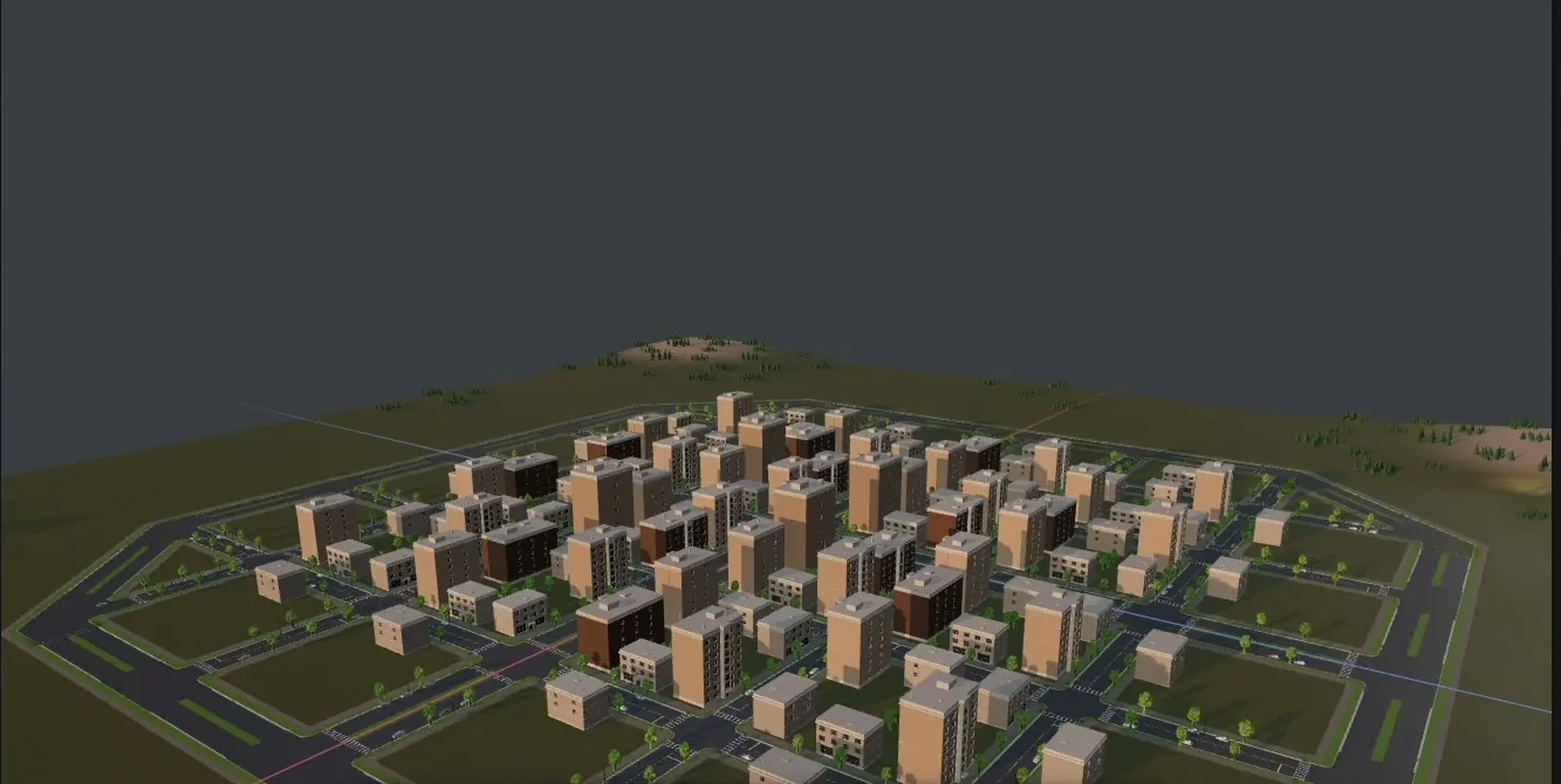
For whole locations the free options are thinner, because the problem is composition rather than generation. Cuberta sits here: a free desktop editor for Windows and macOS, no account and no subscription, which exposes location-level tools to an AI agent — road networks with junctions and pavements, blocks of buildings, furnished interiors, terrain, vegetation, lighting and time of day — and exports GLB or FBX with textures. The honest note for a free-stack article is that the editor is free while you bring your own agent and your own model access, so this line is not automatically zero. The wider category is in our round-up of AI level design tools.
The stack, with the catch
| Stage | Free option | Licence | The catch |
|---|---|---|---|
| Blockout | ProBuilder, UE Modeling Mode, Godot CSG | Engine licence | Locked to one engine; CSG has no UVs |
| Geometry, UVs, bakes | Blender | GNU GPL | Weeks of learning before it is fast |
| Models, safest tier | Kenney, Quaternius, Poly Haven | CC0 | Four libraries, four house styles |
| Models, wider search | Sketchfab, Poly Pizza, free sections of Fab and the Unity store | Mixed CC, store EULAs | NC and ND sit in the same results; store assets never redistributable standalone |
| Textures, HDRIs | Poly Haven, ambientCG | CC0 | The same twenty materials in everyone's scene |
| Material authoring | Material Maker | MIT | Smaller preset library than the paid equivalent |
| Terrain | Unity Terrain Tools, UE Landscape, Terrain3D | Engine terms, MIT | Weaker erosion; the dedicated free editions are non-commercial and capped |
| Vegetation, scatter | Sapling Tree Gen, free plant packs, PCG or geometry nodes | GPL, store EULA, engine licence | Scatter logic is rebuilt per engine |
| Lighting | Engine lighting plus CC0 HDRIs | Engine licence, CC0 | Paid for in bake time |
| Whole location | Cuberta driven by your own agent | Free app | You supply the agent and its model access |
| Engine | Godot, Unity Personal, Unreal | MIT; under USD 200k; under USD 1M then 5% | Two of the three are free until you succeed |
What a free stack really costs
Add the money column and it lands close to zero: Godot with no threshold, or Unity Personal, or Unreal below a million; Blender; CC0 models and materials; engine terrain and lighting; a free tier for the objects nobody has modelled yet. A complete environment pipeline for the price of the electricity.
The bill arrives in two other currencies. The first is time, and it is not distributed the way beginners expect. The cost is not the modelling, it is the hunting: finding an asset that matches a style you already committed to, discovering it is CC BY-ND, going back, matching texel density across four libraries, rebuilding scatter logic when you change engine. A paid pipeline mostly sells you the absence of that search.
The second is integration. Free tools do not know about each other, and every seam between them is a scale convention, a coordinate handedness and a texture naming scheme that you own personally. Nothing breaks loudly. Things arrive rotated 90 degrees, or a hundred times too small, and you fix them one at a time.
Budget one hour of licence bookkeeping for every ten hours of asset work. Keep a plain table: source, licence, attribution string, download date. The version you downloaded is the version you licensed, and sites change their terms.
None of which argues against the free stack. A solo developer in 2026 has better tools for nothing than a mid-sized studio had for six figures in 2010, and the constraint has moved from budget to attention. But an article that says a stack is free and stops there has done half the job. The other half is knowing which kind of free each piece is, and what it will ask for later.