
A
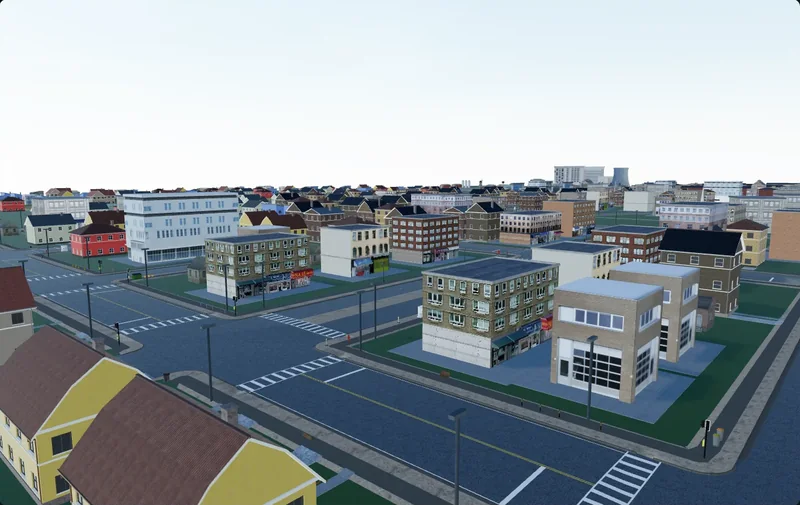
Streets that connect
Road networks with real junctions, crosswalks and sidewalks — the skeleton everything else hangs on.
A free 3D editor for Windows and macOS. Describe a place — Claude Code or any MCP agent lays the roads, raises the buildings and sets the light while you watch. Then export to any engine.
 Unity
Unity Unreal Engine
 Blender
 Godot
Godot01Demo
A real screen recording, sped up. The agent lays out the streets, raises the blocks and tunes fog and light — every step lands in the viewport as it happens.
02Capabilities
Everything a location needs, built in the right order from one plain-language brief.
Road networks with real junctions, crosswalks and sidewalks — the skeleton everything else hangs on.
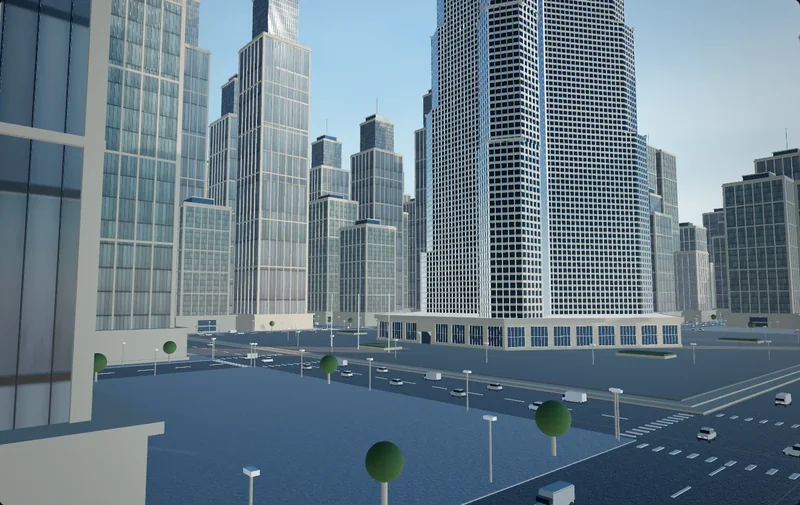
Cottages, brick blocks and glass towers, set along the streets with real facades.
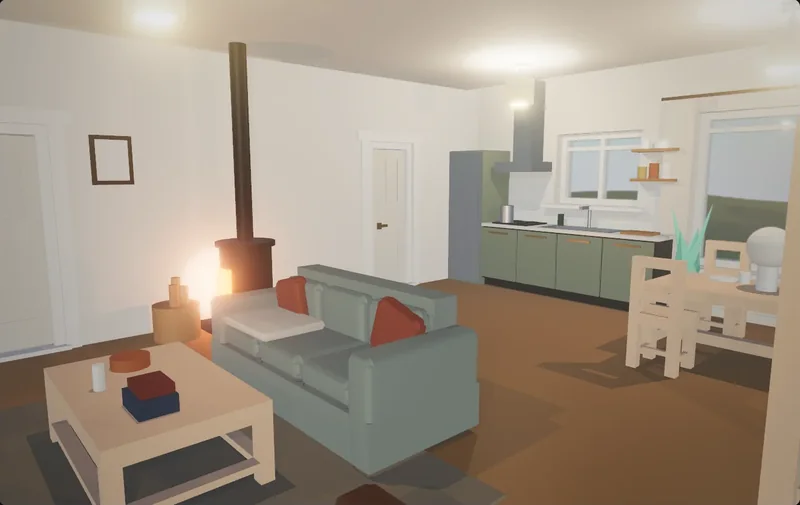
A living room with a stove, a kitchen and lamp light. A whole house, one room or a single prop.
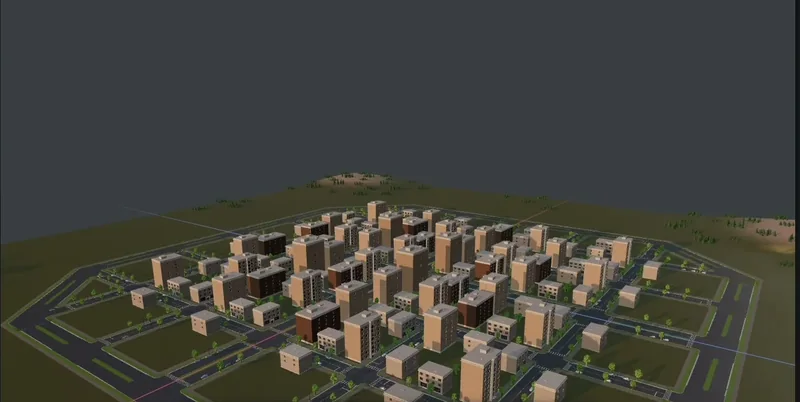
Hills, vegetation, sky and the right time of day, tuned until the frame reads.
Sign in to browse your Wandy3D library and community models, then drop them into the scene.
The editor and its bundled models, materials and skies run without a connection.
Claude Code is the usual start. Anything that speaks MCP can drive the scene.
03Control
It all happens live in a real editor. Mark where to build and where not to, stop the agent, move things by hand, undo any step.
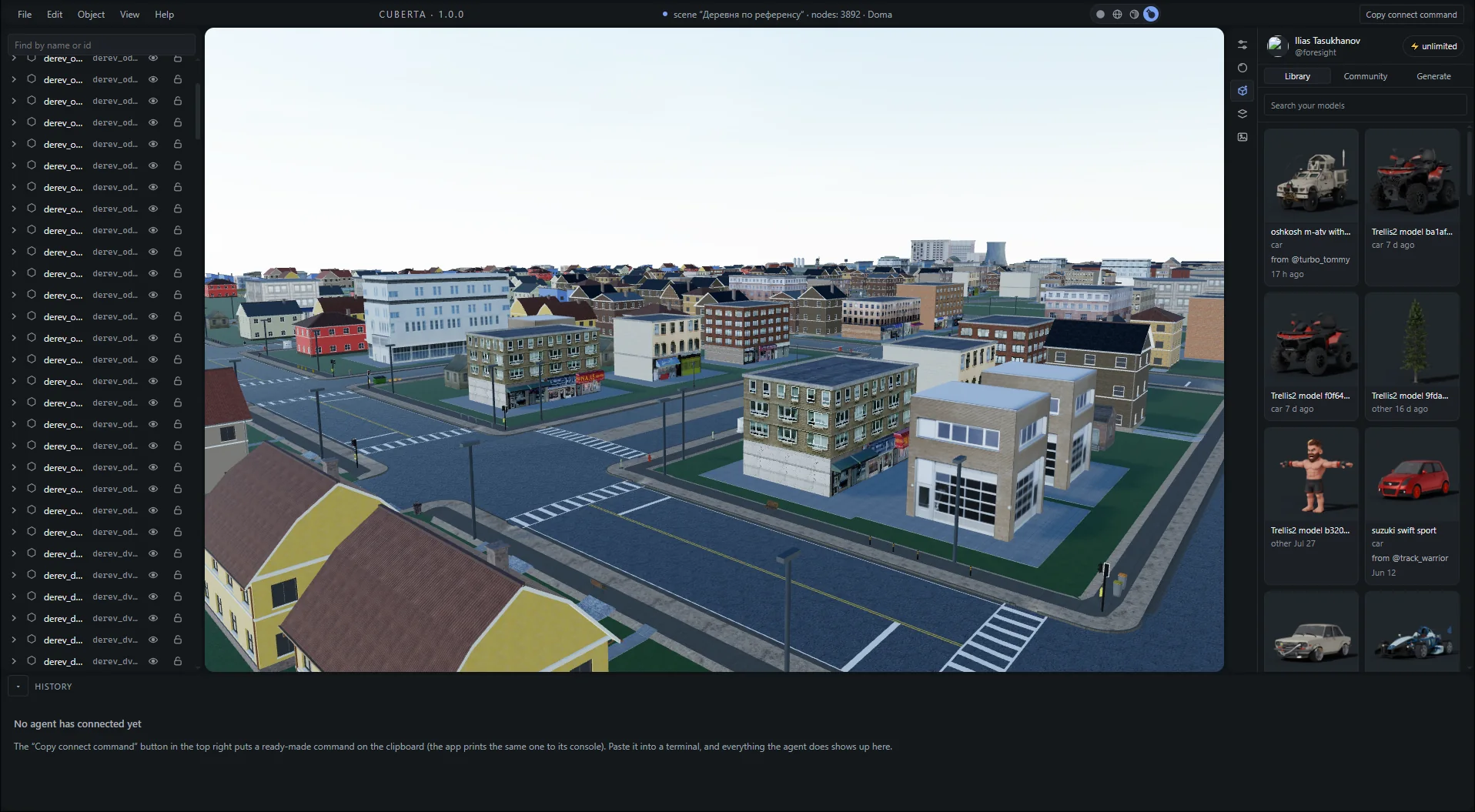
Each step lands in 3D the moment the agent takes it.
Every object the agent made — select, hide, lock or move it.
Every action is logged. Undo any step.
Wandy3D and community models, ready to drag in.
One click puts the connect command on your clipboard.
04Workflow
Free, no account. Installer or portable build for Windows, disk images for Apple Silicon and Intel Macs.
Press Copy connect command in the app and paste it into your terminal. Claude Code or any MCP client.
Write it the way you would brief a level designer. The agent builds it while you watch.
GLB or FBX with textures included. Drop it into Unity, Unreal, Blender or Godot.
05Specs
Everything worth knowing before you download.
Download06FAQ
Short answers. The blog goes deeper.
BlogYes. Cuberta is free to download and use on Windows and macOS, with no account, no trial period and no subscription. The bundled models, materials and skies are included.
Any MCP client. Claude Code is the one most people start with, but the app exposes a standard Model Context Protocol server, so anything that speaks MCP can drive the scene. You bring your own agent and your own API access.
Whole locations — road networks with junctions and sidewalks, blocks of buildings with real facades, terrain, vegetation, street furniture and lighting. It also builds single objects: a house with a furnished interior, a room, a prop. If you can describe it, it will attempt it.
GLB and FBX come out with textures included, which covers Unity, Unreal Engine, Blender, Godot and anything else that reads glTF or FBX.
No. You describe the place in plain language and correct the agent when it goes the wrong way. Knowing your engine's import settings helps more than knowing how to model.
Blender MCP hands an agent the whole of Blender, which is powerful and slow — the agent spends its turns writing Python against a general-purpose modeller. Cuberta is a purpose-built editor for locations: the tools it exposes are already about roads, buildings, terrain and placement, so the agent works at that level instead of rebuilding it every time.
The editor and its bundled content run offline. The agent itself needs whatever connection your model provider requires, and signing in is only needed to browse your Wandy3D library.
64-bit Windows 10 or 11, or macOS on Apple Silicon or Intel. Any GPU from the last decade will do. The builds are not code-signed yet, so Windows SmartScreen and macOS Privacy & Security will ask you to confirm the first launch.
07Blog
How teams use AI agents for level design, and what to watch out for.
All articlesGenerated cities look right from above and fall apart on foot. Road hierarchy, block sizes, frontage, junctions — the numbers that make a city read as a city.
A generated GLB or FBX location lands in Unity in minutes. Making it playable takes import settings, colliders and lighting — here is the whole path.
You have a GLB of a whole district and a UE5 project. What to check on import: scale, Nanite, Lumen, collision, and why one big actor never streams.
08Download
Windows 1.0.2 · macOS 1.0.1 · Free
 Windows
64‑bit Windows 10 or 11.
 macOS
macOS
M‑series Macs take Apple Silicon, older Macs take Intel.